
Attention:
Speed up your PC
Over time, common system issues can slow your PC down. System Mechanic helps make your PC fast, powerful, and error-free.
- Prevent frustrating errors, crashes and freezes
- Restore maximum speed, power, and stability
- Clean up junk files and bloatware


Resolve Issues and Boost Performance with System Mechanic
- Clean up junk files
- Free up memory
- Resolve registry issues
FAQs
Over time, common PC system issues like unnecessary clutter, lack of available RAM, and file corruption can cause problems like errors, lags, and crashes. Maintaining your PC’s health with regular “checkups” and automatically resolving any issues can help prevent slow-downs and keep your PC performing like new.
Repairing these critical system issues is key to keeping your PC fast and responsive. If you ignore system issues like registry errors, low memory, and junk files that clutter your PC, you run the risk of experiencing errors, lags, crashes, or corrupted files. The best way to both fix and avoid system issues is with a utility that automatically scans your PC in the background, identifies issues as they come up, and quickly repairs and eliminates them. This kind of utility can help you keep your PC fast and responsive, with plenty of memory for running multiple apps, gaming, and storing important files.
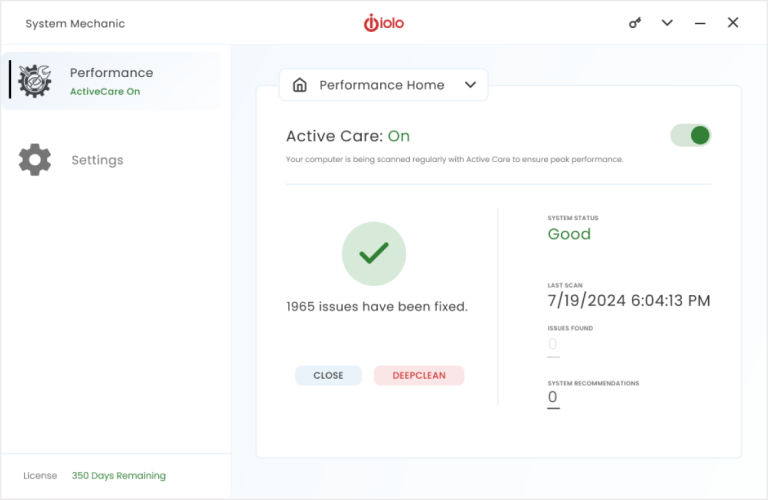
System Mechanic software automatically scans, detects, repairs, and eliminates system issues. System Mechanic restores your computer’s speed and efficiency by deleting unwanted junk files, correcting registry errors, and freeing up memory. It scans your hard drive while your computer is idle, then repairs and eliminates any issues it finds. For over 20 years, System Mechanic has provided award-winning PC performance, privacy, and protection software to tens of millions of users worldwide.
HP users receive an exclusive HP discount when purchasing System Mechanic. One subscription to System Mechanic applies to up to 10 devices, so you can protect all the computers in your home. System Mechanic automatically scans and repairs your PC, saving you the frustration of trying to detect and fix system issues yourself. The software is easy to use with a simple, streamlined interface, so you won’t waste time calling tech support to use it.

Unresolved PC Issues Can Slow Down Your Computer
Common system issues like registry errors, low memory, and unnecessary clutter can cause your computer to lag, freeze, or crash. Resolving these issues improves your PC’s speed and performance, so you spend less time fixing it and more time using it.
Improve Your PC’s Performance

Boost Speed
Optimize CPU and RAM for faster and smoother performance while gaming, editing, or streaming.

Repair Issues
Find and fix more than 30,000 different issues in the background, while your PC is idle, to keep it stable and updated.

Remove Bloatware
Find and remove unnecessary startup programs that are running without your knowledge and slowing you down.

Protect Your Privacy
Safely wipe sensitive browsing history and patch Windows security issues that could make your PC vulnerable.

Speed Up Your Internet
Optimize your internet settings to unleash faster surfing and downloads, as well as more stable connections.

Eliminate Clutter
Delete more than 50 kinds of hidden junk files to free up disk space for your valuable documents, videos, music, and photos.
What Customers Say
You’re in Good Hands
Millions of people around the world have already made System Mechanic the tool to fix their PC issues.
Fix Issues



WAIT
SAVE 50%
Limited-time offer