You have successfully installed the latest version of System Mechanic® 24.5!
Harness the power of System Mechanic to maintain your device performance.
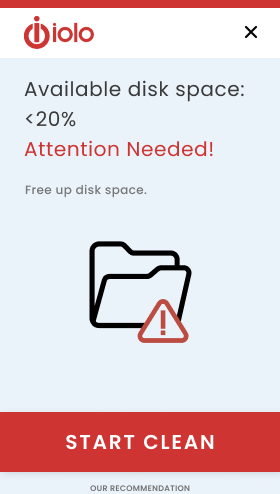
New: Low Disk Space Notification
Know when it’s crucial to maintain your PC for optimal performance! System Mechanic notifies you when your hard drive or SSD space drops below 20%, indicating it’s time to clean up your storage.
Ever wondered what the Dark Web knows about you?
Smart Scan checks to see if your email address is found on the dark web.
Timely bi-weekly Dark Web updates right to your inbox provide:
Receiving an alert when your hard drive or SSD space is below 20% helps you prevent data loss, improve performance, avoid system crashes, and maintain the ability to perform system updates that keep your device secure. If you are running low on hard drive space, here are some steps you can take:
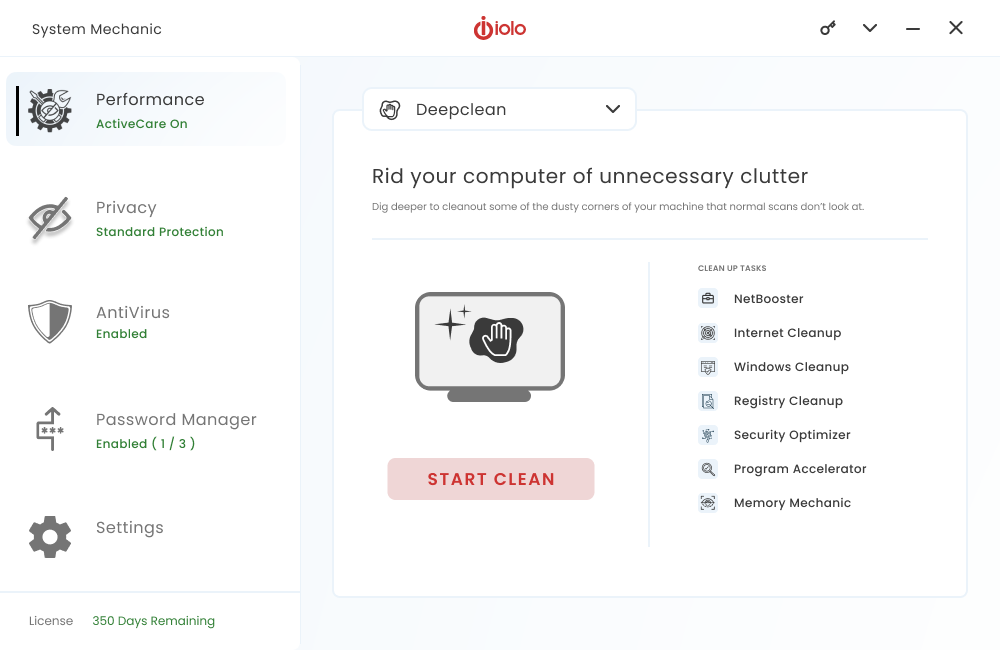
Run A Scan – System Mechanic will clear temporary files, caches, and browser history to reclaim disk space. Enabling ActiveCare will automatically perform diagnostics regularly, in the background, when your device is not in use and clean your PC as needed.
Delete Large Files, Unused Programs, or Duplicates – Removing large files, old downloads, unused applications, or duplicate files can free up valuable storage.
Move Files to External Storage – Transfer large files such as videos, photos or documents to an external hard drive or cloud storage service to free up space on your primary drive.
Compress Files – Compressing large files or folders can help save disk space. You can use built-in compression tools or third-party software for this purpose.
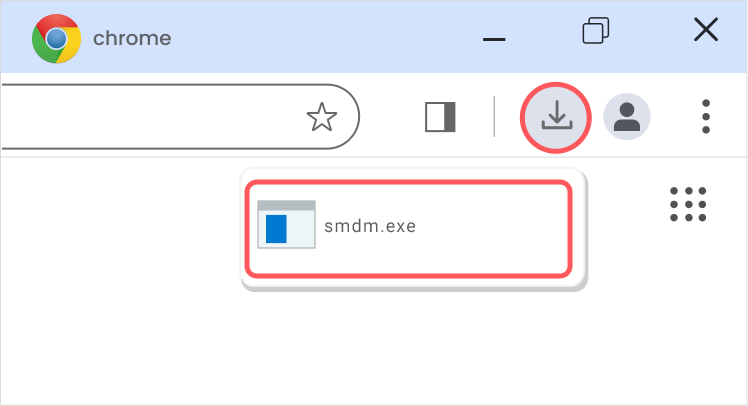
From the browser window on your PC, press Ctrl + J and look for the file named smdm.exe. Then click the file name to open the installer.
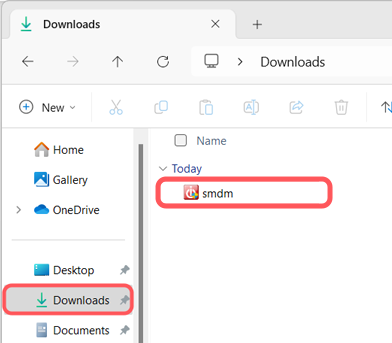
Still can’t find it?
Open File Explorer on your PC and look in your Downloads folder for the smdm.exe file.
BONUS:
includes 15 tools and features
Performance
ActiveCare
Advanced cleaning and repair removes more unsafe clutter and fixes more problems than ever before, going to work whenever your PC is idle.
Internet Cleanup
Delete temporary internet files for better responsiveness
Windows Cleanup
Delete Windows junk files to unleash speed
Memory Mechanic
Free up memory for better performance
NetBooster
Optimize settings to speed up internet connections
Registry Cleanup
Find and repair registry files to improve performance
Security Optimizer
Detect and resolve Windows security issues
Program Accelerator
Detect and resolve Windows security issues
Toolbox
Startup Optimizer
Speed up Windows startup time
Network Scanner
View external devices and connections
File Incinerator
Remove and destroy deleted files
Advanced Uninstaller
Easily remove installed programs
Process Scanner
Find memory-intensive background tasks
Deceptive Programs
Find and remove harmful software
AppPrioritizer
Prioritize speed and efficiency for the apps you use most
What is iolo's Whole Home License?
The Whole Home License® is iolo’s licensing policy that allows you to install and keep your software running on all of your compatible devices within the same home. Previously, users were allowed to install and license their iolo software simultaneously on a maximum of three PCs. Under the Whole Home License, a single activation key allows you to use your iolo software on all of your PCs, other than any PCs you use for business purposes.What you need to know about Whole Home Licensing
You, your spouse, and your relatives living within the same household may use the same license on any number of PCs that you own which are not used for business.