
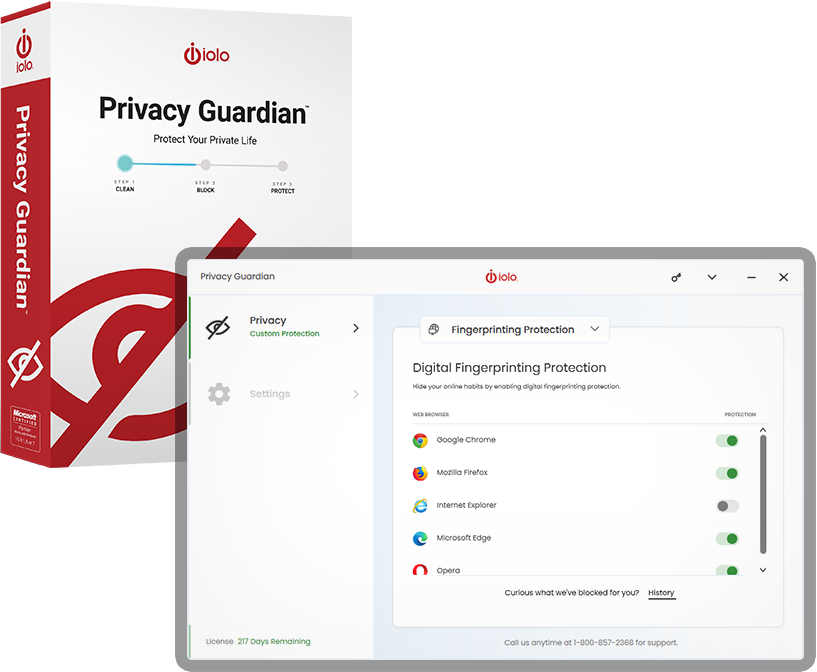
Privacy Guardian

オンライン プライバシー保護

Privacy Guardianでプライベートライフを保護.

¥2,700
通常価格 ¥4,983
¥2,283 お得
オンライン上のあなたの行動のプライバシーは守られず、悪用されるおそれさえあります。 Privacy Guardian は以下の防御に役立ちます。
あなたを追跡するオンライン広告
  • オンライン エンティティによって閲覧時の習慣的行動が監視される可能性があり、あなたが閲覧するページ annoying ads が表示されることがあります。
  • あなたの個人アカウントに スパムメール など迷惑メールが送られることもよくあります。
価格差別
  • オンライン店舗は、裕福な地域にあるコンピュータから買物をされていることを察知した場合に価格をつり上げることがあります。
  • 多くの航空会社、ホテル、保険会社がこのようなことを日常的に試みています。
評判を傷つけられる危険
  • あなたが無責任な買い物客であることを示唆するデータがこっそり収集されているせいで クレジットが拒否 されてしまうこともあり得ます。
個人データの販売
  • 米国議会は、ブロードバンド プロバイダーが広告主に 個人データを販売する 前に本人の許可を得ることを義務化する米連邦通信委員会(F.C.C.)規則を覆しました。

Privacy Guardianだけが、最新の最も巧妙なオンライン トラッキングからの保護 を提供します。つまり、デジタルフィンガープリント採取を阻止します。 クッキーベースのトラッキング ブロッカーやVPNでは十分ではありません。

無防備なデータはどの位あるでしょう?
Privacy Guardian を使用しなければ、かなり多いと危惧されます。

インターネット活動

  • オンライン検索
  • 動画
  • 閲覧したWebサイト

オンラインでの購入

  • 医薬品
  • 休暇でよく行く旅行先

金融データ

  • 収入
  • クレジット スコア
  • 借金やローン

個人データの販売

  • 年齢、性別、民族
  • 政党
  • 婚姻/子供の状況

Block access to your sensitive online data, device info and habits.

  • Only Privacy Guardian studies the behaviors of known fingerprinting scripts and scrambles the data they rely upon to gain sensitive information about you
  • Privacy Guardian alerts you when it has stopped an attempt to collect your private data
  • Easy-to-read Dashboard shows you a list of all tracking attempts that were blocked
  • Tracking site URLs included for your reference
  • Includes the precise tracking script used to try and track you
  • My Tracks panel allows easy cookies and browsing data clearance from all your browsers at once
  • Advanced Whitelisting prevents data clearance on specific websites you choose
  • Add the Privacy Guardian extension to your preferred web browser to ensure safe and secure browsing
  • Private Search feature provides further anonymity when performing searches
  • Personal Privacy Score assesses the current estimated state of your privacy
  • Reports panel shows comprehensive history of tracking activity and changes to your digital fingerprint

System Mechanicのインストーラーファイルの検索方法

PCのブラウザウィンドウで、Ctrl + Jキーを押して、smdm.exeという名前のファイルを探します。次に、ファイル名をクリックしてインストーラーを開きます。

それでも見つからない場合

PCでファイルエクスプローラーを開き、ダウンロードフォルダーにあるsmdm.exeファイルを探します。

BONUS:

includes 15 tools and features

Performance

ActiveCare

Advanced cleaning and repair removes more unsafe
clutter and fixes more problems than ever before,
going to work whenever your PC is idle.

Internet Cleanup

Delete temporary internet files for better responsiveness

Windows Cleanup

Delete Windows junk files to unleash speed

Memory Mechanic

Free up memory for better performance

NetBooster

Optimize settings to speed up internet connections

Registry Cleanup

Find and repair registry files to improve performance

Security Optimizer

Detect and resolve Windows security issues

Program Accelerator

Detect and resolve Windows security issues

Toolbox

Startup Optimizer

Speed up Windows startup time

Network Scanner

View external devices and connections

File Incinerator

Remove and destroy deleted files

Advanced Uninstaller

Easily remove installed programs

Process Scanner

Find memory-intensive background tasks

Deceptive Programs

Find and remove harmful software

AppPrioritizer

Prioritize speed and efficiency for the apps you use most

What is iolo's Whole Home License?

The Whole Home License® is iolo’s licensing policy that allows you to install and keep your software running on all of your compatible devices within the same home. Previously, users were allowed to install and license their iolo software simultaneously on a maximum of three PCs. Under the Whole Home License, a single activation key allows you to use your iolo software on all of your PCs, other than any PCs you use for business purposes. What you need to know about Whole Home Licensing

  • You, your spouse, and your relatives living within the same household may use the same license on any number of PCs that you own which are not used for business.
  • For full legal terms and conditions, see https://www.iolo.com/company/legal/eula/

To install your iolo product on additional PCs:

  1. On the additional computer, download the latest version of your iolo product. Choose from the list of downloads offered here.
  2. Follow the steps in the installation wizard, and enter the same Activation Key that you used to install on your original computer.

You can view the Activation Key on the original computer from within System Mechanic > red menu bar > key icon > Activation Key.