
Privacy Guardian™
Online privacybescherming
Bescherm uw privéleven met Privacy Guardian.
- Biedt anoniem internetten
- Houdt uw zoekgeschiedenis privé
- Beschermt tegen ‘digitale fingerprinting’ die VPN’s en cookiewissers omzeilen
- Biedt betere bescherming tegen identiteitsdiefstal
- Blokkeert advertentie-trackers die u volgen en targeten
€19.00
Normaal €34.95 incl Vat Bespaar €15.95
Nu kopen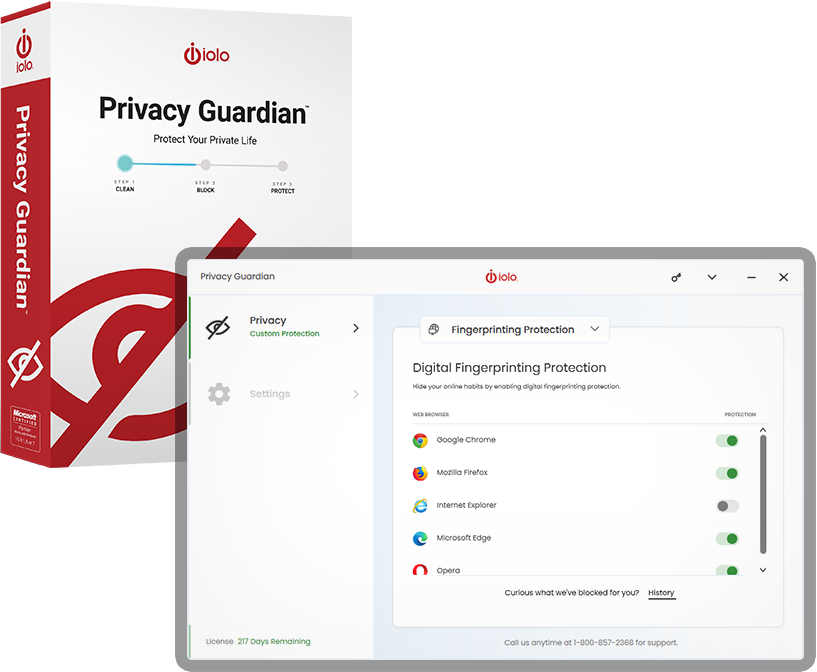
Webadvertenties die u volgen
- Online-entiteiten kunnen uw browsegedrag bespioneren en irritante advertenties plaatsen op de pagina’s die u bezoekt
- Veel webwinkels sturen zelfs storende spammails naar uw persoonlijke accounts
Prijsdiscriminatie
- Als webwinkels zien dat u online-aankopen doet vanaf een computer in a rijke buurt kunnen ze hun prijzen verhogen
- Veel vliegmaatschappijen, hotels en verzekeraars proberen dit regelmatig
Reputatieschade
- Stel dat u krediet wordt geweigerd omdat een bedrijf in het geheim gegevens heeft verzameld waaruit blijkt dat u een onverantwoordelijke consument bent
Uw gegevens zijn te koop
- De Amerikaanse overheid heeft de FCC-regels teruggedraaid die vereisen dat breedbandproviders uw toestemming vragen voordat ze uw privégegevens aan adverteerders verkopen
Privacy Guardian biedt als enige bescherming tegen de nieuwste, meest geavanceerde vorm van online-tracking: digitale fingerprinting. Anti-trackingsoftware op basis van cookies en VPN’s doen dat niet.
Hoeveel van uw gegevens zijn onbeschermd?
Zonder Privacy Guardian een heleboel, zoals:
Internetactiviteit
- Online-zoekopdrachten
- Gekeken video’s
- Bezochte websites
Online-aankopen
- Medicijnen
- Auto’s
- Vakanties
Financiële gegevens
- Inkomen
- Credit score
- Schulden en leningen
Uw gegevens zijn te koop
- Leeftijd, geslacht, etniciteit
- Politieke partij
- Burgerlijke staat/aantal kinderen
Blokkeert toegang tot uw gevoelige online-gegevens, apparaatinformatie en internetgedrag.
- Alleen Privacy Guardian bestudeert het gedrag van bekende fingerprint-scripts en versleutelt de gegevens die zij nodig hebben om gevoelige informatie over u te verzamelen
- Privacy Guardian waarschuwt u als het een poging om privégegevens te verzamelen heeft verijdeld
- Overzichtelijk dashboard geeft een lijst weer van alle geblokkeerde trackingpogingen
- Url’s van trackingsites worden ter referentie weergegeven
- Laat het exacte trackingscript zien waarmee geprobeerd werd u te volgen
- Op het paneel Mijn privacybedreigingen kunt u snel en eenvoudig cookies en browsegegevens van al uw browsers tegelijk wissen
- Geavanceerde whitelist voorkomt verwijdering van gegevens op specifieke door u gekozen websites
- Voeg de Privacy Guardian-extensie aan uw favoriete webbrowser toe voor veilig en vertrouwd websurfen
- De functie Privé zoeken biedt anonimiteit bij zoekopdrachten
- Persoonlijke privacyscore bepaalt een schatting van de huidige stand van uw privacy
- Een Rapporten-paneel voor een uitgebreide geschiedenis van trackingactiviteiten en wijzigingen in uw digitale fingerprint