

Quick Start Guide by iolo
Thank you for your purchase. Iolo’s Suite is more than your average PC tune-up software, it’s three great solutions in one including System Mechanic, Privacy Guardian, and AntiVirus. Speed up, secure, and simplify your digital life.
- Easy, one-click performance optimization
- Drastically increase browsing and download speeds
- Stop hackers from stealing your personal information
- Real-time virus, spyware & malware protection
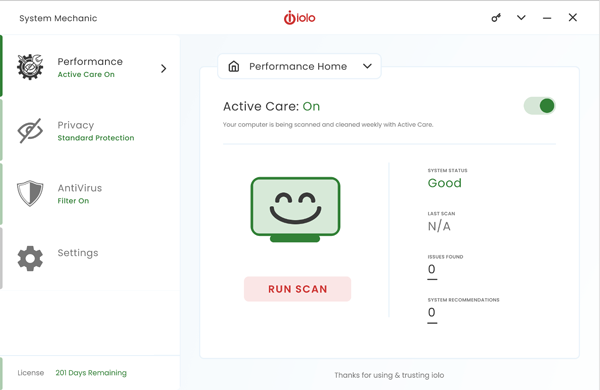
Turning on suggested features
- Click on Performance and turn on Active Care to ensure peak PC performance.
- Turn on Privacy Guardian by clicking on Privacy. Use the radio buttons to select desired protection.
- Activate AntiVirus by clicking on AntiVirus and enabling Real-time protection.
Settings and recurring maintenance
-
Within Settings, select either Performance, Privacy or AntiVirus from the dropdown menu
- Adjust scanning frequency
- Customize settings and exclusions
- Select History to see a running log of events and actions taken
Getting Help
The integrated Help system provides how-to instructions and detailed information about each feature.
To access the Help
- On the red menu bar, click the ? icon. From the drop-down menu, click Get Help Online.