

June 2023
What’s New in System Mechanic® 23.5
You have successfully installed the latest version of System Mechanic® 23.5!
Fine-tune your digital life with comprehensive protection from System Mechanic®.
Enhancements include:
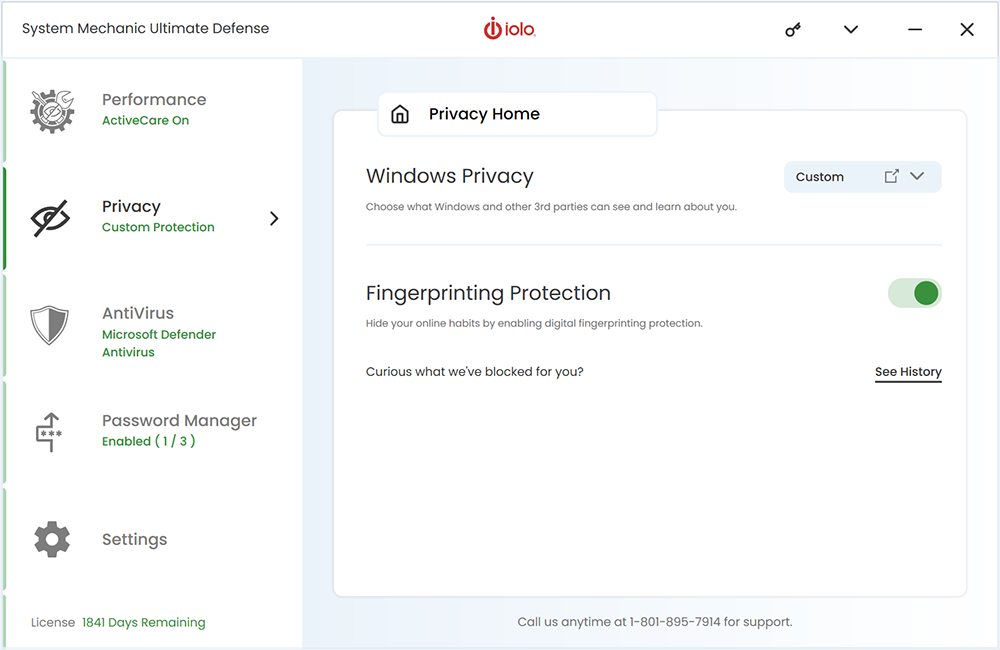
New: Fingerprinting Protection
No longer browser-dependent, improved Fingerprinting Protection hides your online habits from potential trackers.
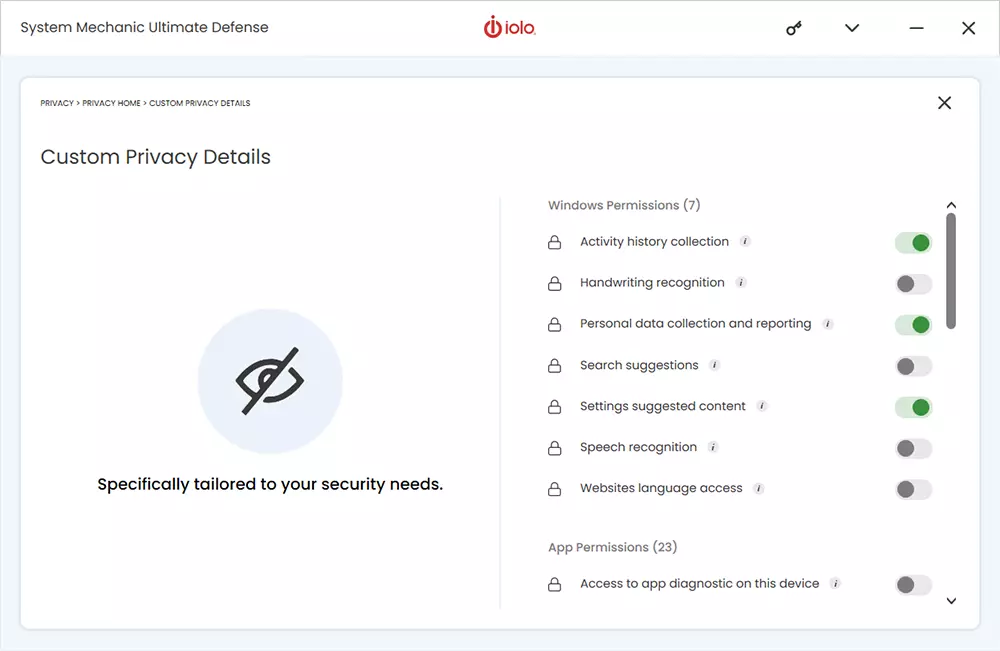
New: User-friendly Privacy Permissions
New user-friendly navigation lets you easily configure permissions and manage data sharing effortlessly for both Windows and third-party applications.
Did you know?
You can boost your PC’s startup time by 200% when you use Startup Optimizer. Find out how to boost your PC’s startup time here.
Added features & enhancements
System Mechanic® Ultimate Defense™ users will enjoy:

Fingerprinting Protection
Block trackers in real time and shield your personally identifiable information from websites and advertisers.
- Easily toggle protection on or off
- Choose which trackers you block or allow
- Block cookies (the storage of your unique data)
- Easily view your masked fingerprinting history
User-friendly Privacy Permissions
Easily configure permissions, manage data sharing, and safeguard your personal information with a seamless and intuitive interface. Take control of your privacy with confidence and simplicity.
How to use:
- Open System Mechanic Ultimate Defense and click on ‘Privacy’
- Locate the ‘Windows Privacy’ heading and the dropdown box on the right side
- Select a preset configuration or click on ‘Custom’
- Clicking on the small box with the arrow will reveal custom privacy details
- Use the toggles to turn permissions On and Off

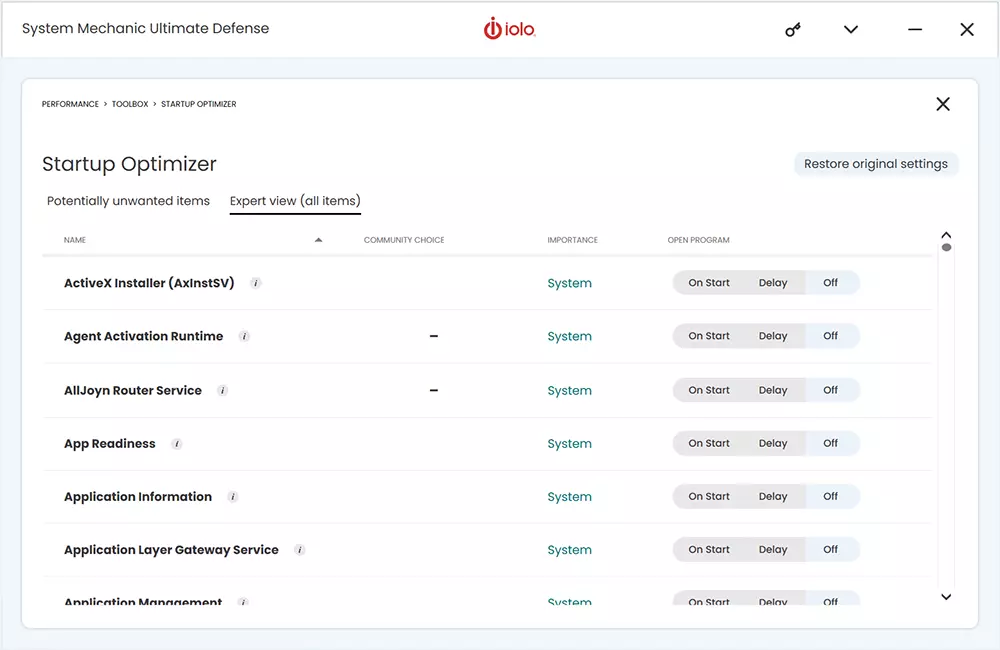

System Mechanic® & Startup Optimizer boost your PC’s startup time
How to use:
- Open System Mechanic, System Mechanic Pro or System Mechanic Ultimate Defense and click on ‘Performance’
- From the Performance Home dropdown, select ‘Toolbox’
- Find and click on ‘Startup Optimizer’
- Startup Optimizer will scan and find potentially unwanted items slowing boot-up time
- Review each item, see community recommendations and impact on performance
- Choose to allow each item to open on start, delay, or be turned off
Featured Blog
What is Digital Fingerprinting?
Digital fingerprinting, also known as device fingerprinting or browser fingerprinting, is a technique used to uniquely identify and track devices or users. A “fingerprint” is a unique set of characteristics and attributes associated with a specified device or browser.

Questions on how to use System Mechanic?
Speak to a live agent now.
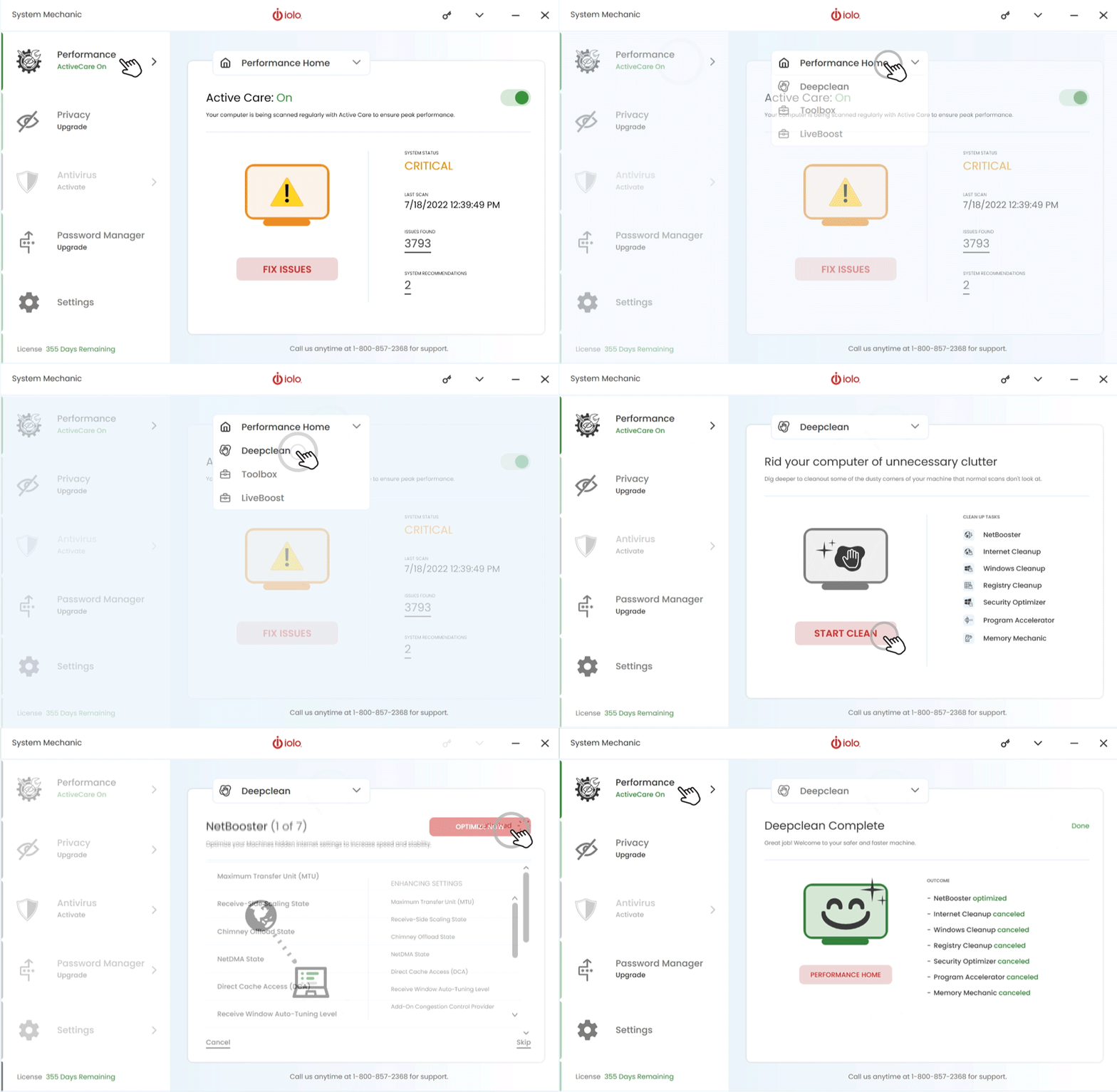
- Faster startup times
- Faster internet downloads, and
- Increased disk space
Choose the System Mechanic product that’s right for you
We have a version of System Mechanic for everyone. Checkout what version is right for you.

System Mechanic®

System Mechanic Pro®

System Mechanic® Ultimate Defense™
