

Thanks for Installing iolo Updater
You have successfully installed iolo Updater
Click here to see What’s New in version 25.3
Benefits
Stay updated with the most efficient, stable, and secure versions of your software and drivers.

Optimize Performance
Keep your hardware running at its best and maintain a faster, more efficient operating system with regular performance improvements and bug fixes.

Save Time
Automate the time-consuming process of manually checking for updates. Automatically scan and install the latest versions, or download and install them when it’s convenient for you.

Improve Stability
Prevent corruption, random lags, or system crashes by regularly updating software and drivers and maintaining compatibility with the latest operating system.

Increase Security
Reduce the risk of breaches and protect your device from vulnerabilities when you update your software and drivers with the latest security patches.
Why iolo Updater?


Get to know iolo Updater features

Automated Scans
Automatically scan your PC for outdated, missing, or corrupted software and drivers, and scan software downloads for malware and viruses.

One-Click Updates
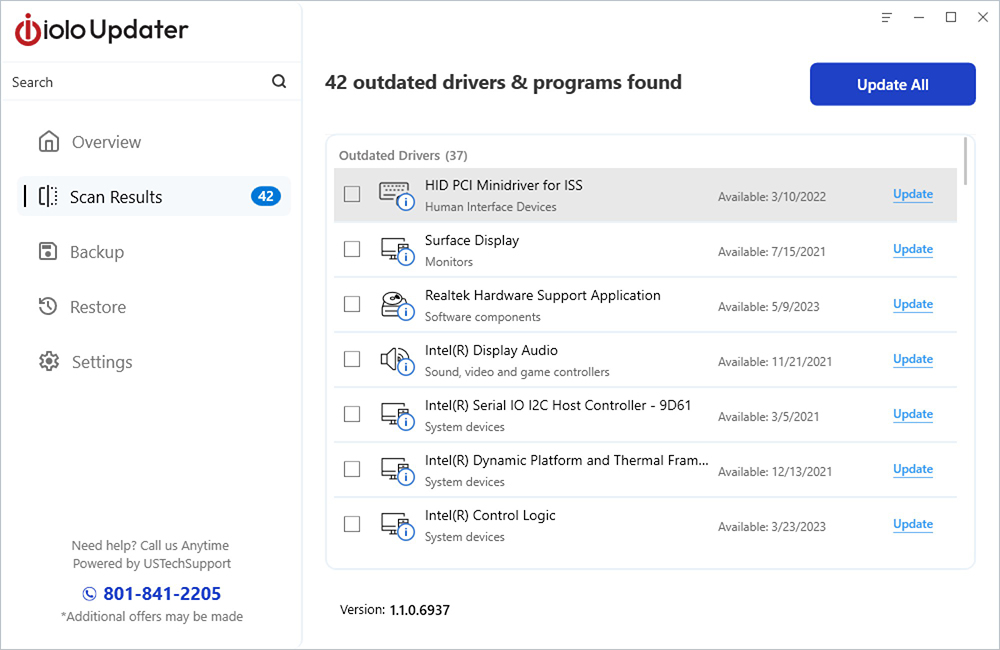
Review a comprehensive list of drivers and software that needs updating, and get the newest version with a single click.

Ensured Compatibility
See recommended updates from a massive database of software applications and drivers compared to your current versions.

Convenient Scheduler
Automatically update software and drivers when it’s convenient, and schedule regular scans to keep software and drivers up to date.

Backup Protection
Create a backup version of your drivers before installing the latest, so you can restore earlier versions as needed.

Manual Options
Get software and driver update recommendations, then download just the ones you prefer and exclude certain drivers from updates.
Supported Driver Types
- Graphics Cards
- Wi-Fi Adapters
- Sound Cards
- Storage Devives (HDD/SSD)
- Printers and Scanners
- Bluetooth Devices
- Webcams
- USB Devices and Hubs
- Game Controllers
- Virtual Reality Headsets
- External Audio Interfaces
- Touchpads
- Optical Disk Drives
Supported Software Types
- Browsers
- Communications
- Internet
- Multimedia
- Networking
- Productivity
- Security
- Social
- Utilities